
Create your first brand in Bizabee
Step-by-step setup for your first brand so content generation and landing pages work correctly from day one.
Why this setup is critical
If brand setup is incomplete, generated content and landing pages are usually off-target.
This is the first hard dependency in Bizabee onboarding. Your brand data is used in content tone, campaign suggestions, and page messaging.
Fixing setup early saves significant rework later. Most low-quality output issues in week one come from vague brand inputs.
Critical path: complete onboarding in order
If you skip steps or use placeholders, generated output quality drops. Complete the full path once before editing advanced settings.
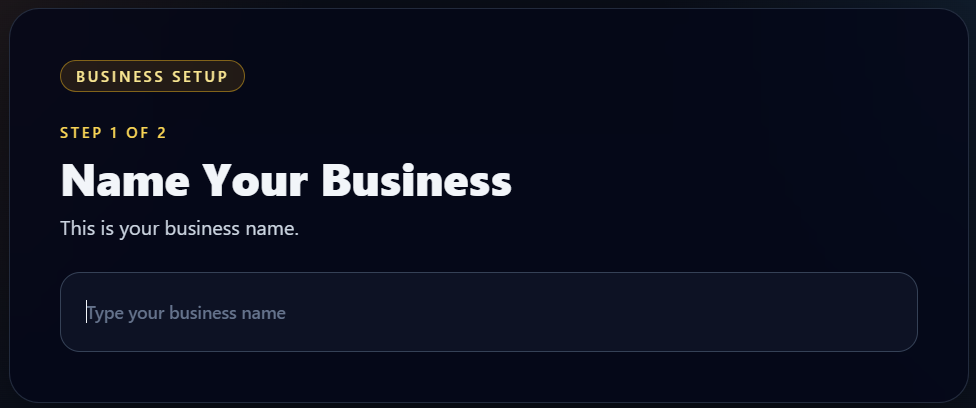
- Open onboarding and start at Brand Name
- Add Brand Description with clear audience and offer
- Choose what to generate first: Posts or Landing Page
- Run generation and wait around 30 seconds
- Confirm results appear before moving to editing/scheduling
Choose the right onboarding branch
Bizabee supports two first flows after brand setup: social content flow or lead-page flow. Your next screens depend on what you selected.
- If you selected Posts, continue to generation and then review in Content
- If you selected Landing Page, continue to the page description step and generation flow
- If you took the wrong path, go back and reselect the product flow before generating assets
What to write in the brand description (high impact)
Use plain and specific language. Avoid broad claims like "we help everyone grow."
A good description includes who you serve, what problem you solve, and what action users should take next.
- Audience: who exactly is this for?
- Problem: what urgent issue are they trying to solve?
- Outcome: what concrete result do they want?
- Action: what should they do after seeing your content?
Common setup blockers and fixes
If you are blocked, use these quick checks before regenerating content.
- Output too generic: rewrite brand description with a specific audience and offer
- Wrong tone: add examples of preferred tone in brand context/assets
- Poor campaign fit: rewrite description to be more specific about audience and offer
- No generated items after onboarding: refresh session and re-open the Content discovery tab
- Landing page flow did not continue: verify the landing-page description step was completed
- Setup appears complete but quality is weak: remove placeholders and rewrite description with concrete audience language
Done checklist before moving on
- Brand name is final and correctly spelled
- Description includes audience, problem, outcome, and action
- You selected the correct first generation type (Posts or Landing Page)
- At least one generated content batch was successfully created
- You can proceed to content review or lead page creation